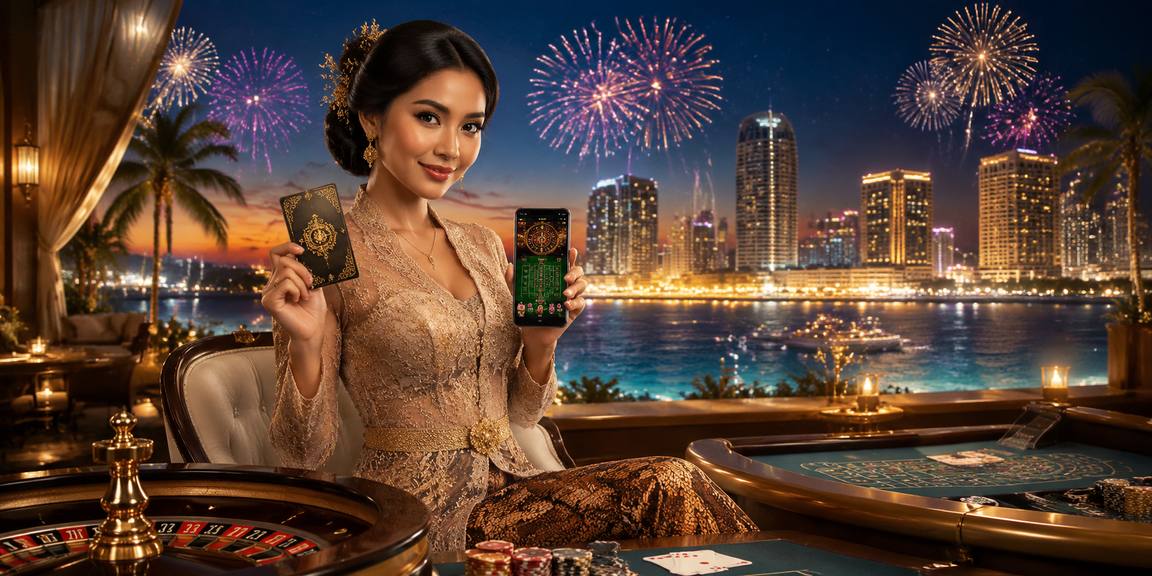
CASINO ROOMS FIRST

Browse casino and slots your way

Casino and slots appear first in our lobby, with search, category filters and recently opened titles kept within reach.

garushoki lobby snapshot
INSIDE OUR LOBBY

See what fills garushoki

Casino rooms, dealer tables, fishing games and sports markets sit together, giving you a direct path from category menu to game screen.

SlotsLive CasinoTable GamesFishingSportsbook
STUDIOS IN OUR LOBBY

Studios available through garushoki

Pragmatic Play, PG Soft and Habanero sit alongside established Asian-facing studios, giving you recognisable slot formats and clear provider filters.

Pragmatic Play
PG Soft
Habanero
CQ9
Joker
Spadegaming
JDB
PlayStar

Use familiar Indonesia payment rails

DANA, OVO, GoPay and QRIS appear as named cashier choices, so you do not need to guess which wallet route applies.

DANA

OVO

GoPay

QRIS

Virtual account

Bank transfer

BCA

BRI

Mandiri

BNI

AREAS WORTH OPENING

Find the page you need faster

Five permanent areas answer the questions that usually arise before and after account opening. The lobby shows playable categories, the cashier explains each available rail, and account pages display verification status.

garushoki Casino categories
LOBBY

Casino categories

Browse slots, dealer tables, crash games, bingo and fishing rooms from one category menu.

garushoki Wallet status
CASHIER

Wallet status

See whether DANA, OVO, GoPay or QRIS is available before entering an amount.

garushoki Verification centre
ACCOUNT

Verification centre

Check whether your phone confirmation and requested personal details are complete.

garushoki Local market interests
SPORTS

Local market interests

Football sits alongside badminton and basketball in the sportsbook.

YOUR FIRST CHECKS

Start with a clear account path

Account opening begins with your phone number and a verification step before lobby access. Once verified, the same account connects your casino categories, sportsbook and cashier.

Open your account Enter your requested account details, confirm your phone number and…
Confirm your details Use matching names across your account, local wallet and bank…
Choose your area Move between slots, live baccarat, Auto Roulette, football, badminton and…
Protect your access Keep your verification code private, use a password not shared…
HELP NEARBY

Get help where issues happen

Support routes sit close to account access and the cashier because those are where most status questions begin. Live chat handles active login or wallet issues, email accepts longer descriptions and receipt attachments, and mobile help covers browser behaviour. Current service hours are displayed inside each contact route, so you can see availability before sending your request.

Team online

Live chat

Open chat from the help or cashier area when login access or wallet status stalls. Prepare your account reference, transaction time and payment rail before starting.

Email support

Use the listed email path when you need to attach a DANA, OVO, GoPay, QRIS or bank receipt. Include the cashier reference without sharing your password.

Mobile help

Browser-specific help covers page loading, screen rotation and returning to the lobby after connection changes. It also points you toward account recovery when access fails.

ONE MOBILE ROUTE

Reach the lobby from your browser

The mobile path runs from account access to category menu, game screen and cashier without requiring a separate application.

garushoki mobile gaming
Phone browser access
Tablet layout
Desktop lobby
Slot search
Landscape live tables
QRIS cashier path

Keep control of every account session

Phone verification creates a clear checkpoint before account access, while password recovery stays within the account-help route.

Phone confirmation

Your phone confirmation must be completed before protected account areas become available. Never share the received code with anyone claiming to handle a transfer through public messages.

Session care

Use a private device where possible, avoid saving credentials on shared browsers and close the account session when finished. The recovery path remains available from account help.

Cashier history

Compare each wallet receipt with its cashier entry after submitting funds. If the status stalls, send the reference through live chat or the listed email route.

Game clarity

Studio names, table rules and available title details appear close to the game entry. This lets you inspect the format before starting a session.

DETAILS YOU CAN CHECK

Know how our home is organised

Clear account and policy paths let you inspect the service before entering the lobby. We separate game categories, cashier activity, contact routes and account settings instead of mixing them into promotional panels.

Visible policy links

Open the terms and privacy pages from the footer before creating an account. Access wording, account obligations and data handling are separated so each subject is easier to inspect.

Named cashier records

Each submitted wallet or bank action receives a status entry in your cashier history. Use that record and your receipt when asking us to investigate a transfer.

Direct contact area

Live chat, email and mobile help have distinct routes from the home menu. We state which account or receipt details help the team trace your request.

Account prompts

Phone confirmation and personal-detail requests appear before relevant account actions. We do not ask you to send verification codes through public messages or unrelated social profiles.

Replace scattered searches with clear status

A single home page is easier to verify than scattered messages, screenshots or third-party posts.

Named game catalogue
Search our lobby for Auto Roulette, Cleocatra, Rocket Crash, Super Bingo or Royal Fishing instead of relying on an old screenshot that may not reflect current availability.
Current wallet display
The cashier shows the rails available for your account at that moment. This is clearer than assuming a payment option from an unrelated post or message.
Account-linked status
Submitted transfers appear in your own cashier history with a reference and status. Outside messages cannot replace the record connected to your account.
Direct support routes
Reach live chat, email or mobile help from our navigation rather than sending account details to an unlisted profile. Keep passwords and verification codes private.
Visible access wording
Our footer connects you to terms and privacy pages, while location prompts explain when service access depends on local law for your current region.
Consistent device path
Phone, tablet and desktop layouts keep the same primary category order. You can return on another screen without searching for a completely different menu.
CATEGORY DATA DISPLAY

Read game details before opening

Game data varies by title and studio, so we place available return data and format details on the relevant game screen rather than publishing one site-wide figure.

01

Slots

Open the title details to find any studio-supplied return value, paylines and feature description for that specific slot version.

02

Live roulette

Check the table rules, wheel format, betting range and stream status before taking a seat at Auto Roulette or another table.

03

Live baccarat

Table panels identify available bet types, dealing status and minimum or maximum stakes before you enter the streamed room.

04

Crash games

Rocket Crash displays its round format and current session controls on the game screen, where timing is easier to assess.

05

Fishing and bingo

Royal Fishing and Super Bingo use different round structures, so their title panels explain controls and participation rules separately.

HOME AT A GLANCE

One home keeps every area close

1
Account for casino and sports
4
Local wallet rails
6
Headline lobby titles
3
Supported device classes
INDONESIA ACCESS AREA

Check access from your location

Our home is configured for Indonesia payment rails and browser access, including DANA, OVO, GoPay, QRIS, virtual account and bank transfer routes when available to your account. You can reach the same category structure from Semarang on a phone, tablet or desktop connection. Service availability, account eligibility and access to individual game categories depends on local law. Check the policy links and account prompts shown for your location before continuing.

Surabaya, Indonesia
VISIBLE BRAND DETAILS

Six reasons the home stays useful

The home page brings the most frequently checked details into view before you commit to a category.

Searchable lobby Enter a full or partial title to locate Cleocatra, Auto…
Local wallet labels DANA, OVO, GoPay and QRIS appear by name in the…
Verification status Your account area shows whether requested phone and personal-detail steps…
Sports categories Football, badminton and basketball have direct category paths in the…
Browser-based mobile use Open the same lobby through a supported phone browser without…
Receipt support Cashier records provide the reference our support routes need when…

FAQ

These answers cover the account, lobby, cashier, mobile and support questions commonly raised from the garushoki Home page. Check the displayed account and policy wording for your location before continuing.

The garushoki Home page connects you to slots, live baccarat, Auto Roulette, fishing, bingo, crash games and sports markets. It also provides direct routes to your account, cashier, policies and support.

Start from the account path, enter the requested details and confirm your phone number. Once required checks are complete, we display the lobby and account-linked cashier options available for your location.

Our cashier can display DANA, OVO, GoPay and QRIS, along with virtual account or bank transfer routes. Availability is shown inside your account, so check the current rail before sending funds.

Yes, the home lobby works through a supported mobile browser without a separate application. Search sits above slot cards, QRIS remains in the cashier, and landscape mode gives live tables more room.

Use the lobby search field and enter the complete title or part of its name. Auto Roulette appears with table content, while Cleocatra is reached through the slots category.

Open cashier history and copy the transaction reference, time and displayed status. Keep your DANA, OVO, GoPay or QRIS receipt, then contact live chat or email without sharing credentials.

The home uses Indonesia-focused payment and device paths, but account eligibility and service access depends on local law. Consult the policy links and any location-specific prompt displayed before opening an account.
FOLLOW THE HOME PATH

Move from account to game clearly

Begin at account access, complete the phone prompt and check that your details match your chosen wallet or bank rail. Next, use the lobby categories or search field to select a game.

Complete account access

Provide the requested account fields and confirm your phone number. Return to the account area afterward to verify that no required personal-detail prompt remains incomplete.

Select a category

Choose slots, live casino, table games, fishing, crash titles or sports. Search by title when you already know which game you want to open.

Check the cashier

Select only a rail displayed for your account, confirm the recipient details and retain your receipt. Submitted activity should create a cashier-history entry.

Resolve a stalled status

Copy the transaction reference, note the time and contact live chat or email. Do not send your password or phone verification code with the request.